Plan the image as two layers
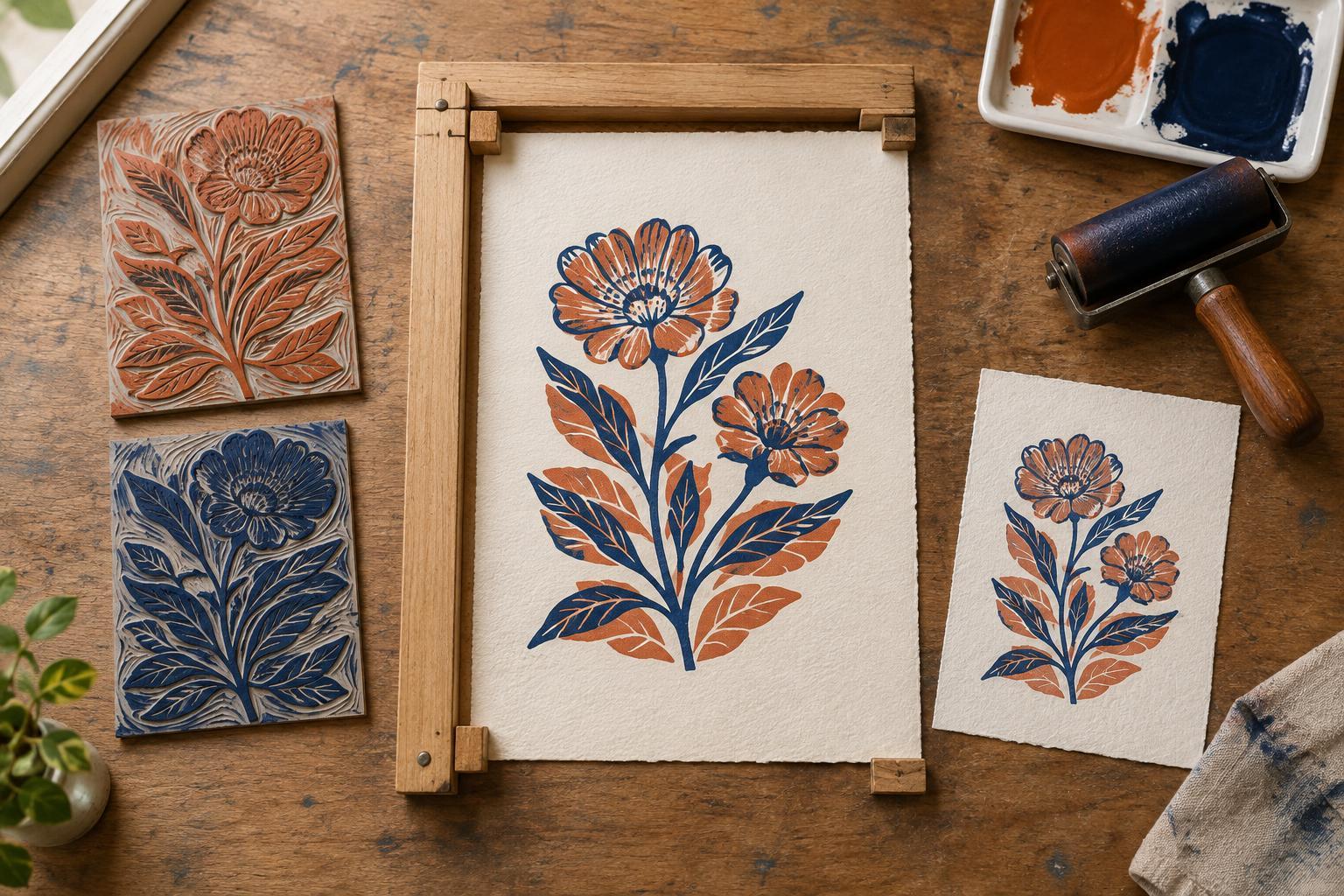
Registration means placing each color in its intended position on the same sheet. In a two-color relief print, even a small shift can create an unexpected gap or overlap. Before cutting, draw the finished image at its intended size and decide which shapes belong to each block. A simple first project might use one block for broad color areas and a second for dark outlines or details.
Trace both layers from the same master drawing rather than redrawing them separately. Mark the image boundaries and add two reference marks outside the area that will print. Transfer each layer to a block of the same dimensions, keeping the reference marks in matching positions. If a layer contains lettering or an image with a clear left and right, check its orientation before cutting: relief printing reverses the image on paper.
Make a registration jig
A jig gives the block and paper fixed positions to return to. On a piece of sturdy board larger than your printing paper, draw a straight baseline. Attach two strips of card or thin wood at right angles to form a corner stop for the block. Place the first block snugly against both strips and mark its position on the board. Both blocks should fit the same corner without rocking or forcing the stops apart.
Next, place a clean sheet over the block where you want the image to sit. Mark the sheet’s top edge and one side edge on the board, or attach two paper stops beyond the inked area. These marks establish the paper position for every impression. Keep enough margin to lower and lift the sheet without dragging it across wet ink. If your paper has a deckled or uneven edge, use a squared backing sheet or another consistent reference instead of relying on that edge alone.
Proof before printing the edition
Ink the first block lightly and place it in the jig. Set a test sheet against the paper guides, lower it carefully, and print using your usual hand tool or press. Let the impression become dry enough to handle without smearing. Then replace the first block with the second, using the same block corner and paper guides, and print the second color on the proof.
Study the proof for more than simple alignment. An intended gap may look wider once printed, while a narrow overlap can make a dark seam where colors meet. Decide whether to adjust the carving, the paper guides, or the block stop. Change only one part of the setup at a time, then make another proof. Label your proofs with the changes you made so you do not have to reconstruct a successful arrangement from memory.
Print both colors consistently
For a small edition, print the first color on every sheet before starting the second. Keep the block seated against the stops and place each sheet against the same guides. A small arrow on the back of every sheet can identify its top edge, especially when the design has generous margins. Set the prints aside in a clean space and allow the first layer to dry sufficiently for your ink, paper, and printing method before overprinting.
When you begin the second color, test one sheet before committing the rest of the stack. Ink thickness, pressure, and paper handling can all affect the result. Lower each sheet from the same edge and avoid sliding it after it touches the block. If you print by hand, work across the image with steady pressure while holding the sheet in place. Occasional checks during the run can catch a shifted stop or a sheet placed the wrong way round.
Troubleshoot misalignment
If every second-color impression shifts by roughly the same amount, inspect the jig first. A stop may have moved, or one block may be slightly larger than the other. If the shifts vary from sheet to sheet, look at how you position and lower the paper. Uneven edges, curling sheets, or contact with wet ink can make placement less predictable.
Perfectly touching color shapes are difficult to maintain across a hand-printed run. Where the design allows it, let one color extend slightly beneath the other so a minor shift does not leave a white sliver. This planned overlap is easier to build into the image than to repair later. Registration is a repeatable process, not a single precise gesture: clear reference points, careful proofs, and steady handling do most of the work.