Decide what each photograph needs to show
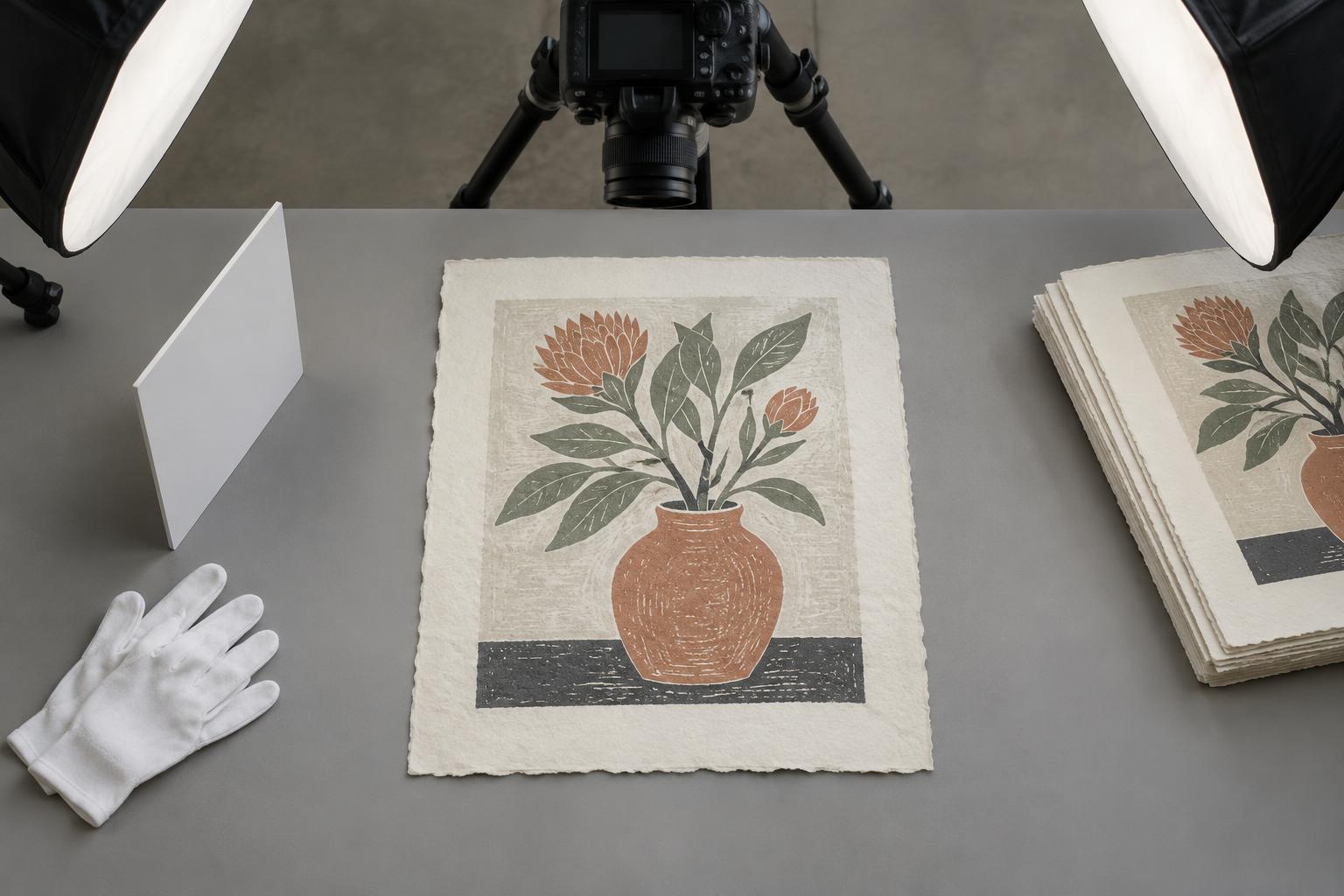
An edition catalogue photograph has a different job from a dramatic studio portrait. Its main purpose is to show the print clearly enough that someone can understand its composition, proportions and visible surface. Start with one straightforward image of the entire sheet, including its edges. This makes the relationship between the printed image and the surrounding paper easy to see. If the work has a deckled edge, embossing or a margin that matters to the composition, leave enough space around the sheet to show it.
Plan a small, repeatable set of views rather than photographing each print differently. An overall image and one or two close-ups may be enough. Detail views can show marks, ink variation or paper texture that disappear in a photograph of the whole sheet. Keep these views separate from the overall image so a close-up is not mistaken for a complete print.
Prepare the print and shooting area
Choose a clean, plain background that contrasts gently with the paper. A pale sheet may disappear against a white surface, while a busy or strongly coloured background can make its colours harder to judge. Clear away tools, scraps and other distractions before placing the print. Handle it with clean, dry hands, touching the edges where practical, and check for loose dust or fibres without rubbing the printed surface.
Set the print on a flat, stable surface and position the camera directly above its centre. A tripod or secure overhead support makes it easier to keep the camera steady and square to the sheet. If the print has a curl, do not force it flat with pressure on the image. Instead, try adjusting the camera position or photographing it in a suitable support that holds it safely. Leave enough room around the sheet in the frame to correct a slight tilt later without cutting off an edge.
Use even light and repeatable settings
Soft, even light generally makes an overall catalogue image easier to read. Place the print where light falls across the whole sheet without a sharp shadow from the camera or your body. If you use lamps, position them so one side of the paper is not noticeably brighter than the other. Watch for glare, particularly on glossy ink. Moving the lights farther to the sides, or changing the camera angle slightly, may help, though the overall image should still look as square as possible.
For a series, keep the lighting, background and camera position consistent between prints. Check the first few images on a larger screen before photographing the whole edition. Compare the photographs with the objects in the same viewing area, especially if the paper is warm-toned or the ink is subtle. Camera screens and room lighting can affect how colours appear, so aim for a faithful, useful representation rather than assuming one screen shows an exact match.
Capture texture without sacrificing clarity
The evenly lit overall image may not reveal every physical quality of a print. For a detail photograph, light from one side can help show an impression in the paper or the relief of an inked surface. Keep the camera steady and focus on the feature you want to describe. Photograph enough surrounding area that a viewer can locate the detail within the work.
Use detail images selectively and describe what they show. Raking light can exaggerate texture, while a close crop can make a small variation look prominent. Presenting these photographs alongside a plainly lit overall view gives a more balanced account of the print. If individual impressions differ within an edition, photograph the specific impression being catalogued rather than relying on an image of another copy.
Check and organize the finished images
Review each photograph for cut-off edges, blur, glare and uneven brightness. Straighten and crop carefully, keeping the full-sheet view intact. Modest adjustments can help a photograph resemble the print as seen in person, but avoid editing away marks or changing colours to make the work look different. Save the original camera files so you can return to them if a later edit proves misleading.
Give files names that connect them to your edition records, with a clear distinction between overall and detail views. Keep the print’s title, process, paper dimensions and image dimensions in the catalogue text rather than expecting a photograph to communicate scale. A consistent set of images and descriptions makes the catalogue easier to navigate and gives each print room to speak for itself.